
If you are buying services from a provider as an end client who uses Fluum, you can now create your own client account directly on the platform. This gives you a dedicated portal to manage your bookings, payments, and communication with your service provider.
How to Create a Fluum Client Account
Go to the Fluum signup page. Below the main signup options, you will see a link that says “Are you buying from a provider that uses Fluum?”
Click that link to start the client signup flow.
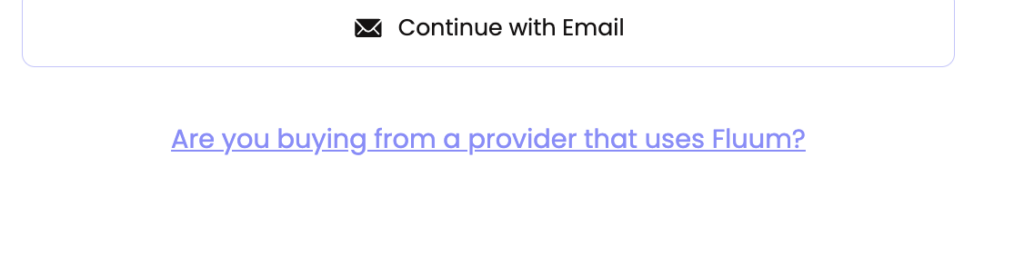
You have two options to create your account: sign up with your email address using the “Continue with Email” button, or use an existing Google or social login if available.
Once you complete signup, you will have access to your own client dashboard.
What You Get with a Fluum Client Account
Your client account gives you a central place to manage everything related to the services you are buying. From your dashboard, you can browse and book services from your provider, view upcoming appointments and past session history, complete intake forms and contracts sent by your provider, make payments securely through Stripe, reschedule or cancel bookings based on your provider’s policies, and receive booking confirmations, reminders, and follow-up messages.
All of this is available without your provider needing to set up an account for you manually.
Who Is This For
The client signup is for anyone purchasing services from a business that uses Fluum. This includes clients of consultants, coaches, therapists, personal trainers, freelancers, and other service providers who run their business on the Fluum platform.
If your provider has already imported your details into Fluum, you may receive an activation email instead. In that case, follow the link in the email to set your password and access your account. You do not need to sign up separately.
Client Account vs Provider Account
Fluum has two types of accounts. A provider account is for businesses that sell services, manage clients, and use tools like Fluum Connect for B2B warm introductions. A client account is for people who buy services from those providers.
When you visit the Fluum signup page, the default flow creates a provider account. If you are a client, click the “Are you buying from a provider that uses Fluum?” link to create the right type of account.
Frequently Asked Questions About Fluum Client Signup
Do I need to pay to create a client account? No. Client accounts on Fluum are free. You only pay for the services you book from your provider.
My provider already set up an account for me. Do I need to sign up again? No. If your provider imported your details, check your email for an activation message from Fluum. Click the link to set your password and access your existing account.
I accidentally created a provider account instead of a client account. What should I do? Contact Fluum support at contact@fluum.ai and they will help you switch to the correct account type.
What payment methods are accepted? Fluum uses Stripe for all payments. Depending on your location, you will see options like credit and debit cards, Apple Pay, Google Pay, and other local payment methods. Fluum automatically shows the payment options available in your country.
Will I receive reminders for my bookings? Yes. Fluum sends automated booking confirmations, appointment reminders, and follow-up messages. The exact messages depend on your provider’s settings.
Is my data secure? Yes. Fluum is GDPR compliant and uses encrypted connections for all data. Payments are processed through Stripe, which is PCI compliant.
For more help, visit help.fluum.ai or email the Fluum team at contact@fluum.ai.
Leave a Reply